|
OpenStack Havana - Use Virtual Storage(LVM)
2013/12/04 |
|
It's possible to use Virtual Storage provided by Cinder for
Virtual Machine Instance.
This example shows to set to use LVM for Virtual Storage.
|
|
| [1] | Create a new Volume group for Cinder. |
|
root@dlp ~(keystone)# pvcreate /dev/sdb1 Physical volume "/dev/sdb1" successfully created root@dlp ~(keystone)# vgcreate -s 32M vg_volume01 /dev/sdb1 Volume group "vg_volume01" successfully created |
| [2] | Configure Cinder |
|
root@dlp ~(keystone)#
vi /etc/cinder/cinder.conf # line 6: specify volume-group name volume_group= vg_volume01
service cinder-volume restart cinder-volume stop/waiting cinder-volume start/running, process 2454 |
| [3] | For example, create a volume named "disk01", 10GB. |
|
root@dlp ~(keystone)# cinder create --display_name disk01 10
+---------------------+--------------------------------------+
|       Property      |                Value                 |
+---------------------+--------------------------------------+
|     attachments     |                  []                  |
|  availability_zone  |                 nova                 |
|       bootable      |                false                 |
|      created_at     |      2013-12-05T01:59:49.989946      |
| display_description |                 None                 |
|     display_name    |                disk01                |
|          id         | ac32fb93-d719-4dba-88d8-1d78fdb90394 |
|       metadata      |                  {}                  |
|         size        |                  1                   |
|     snapshot_id     |                 None                 |
|     source_volid    |                 None                 |
|        status       |               creating               |
|     volume_type     |                 None                 |
+---------------------+--------------------------------------+
root@dlp ~(keystone)# cinder list +--------------------------------------+-----------+--------------+------+-------------+----------+-------------+ | ID | Status | Display Name | Size | Volume Type | Bootable | Attached to | +--------------------------------------+-----------+--------------+------+-------------+----------+-------------+ | ac32fb93-d719-4dba-88d8-1d78fdb90394 | available | disk01 | 1 | None | false | | +--------------------------------------+-----------+--------------+------+-------------+----------+-------------+ |
| [4] | Attach the volume just created to Instance. The following example just attached to the Instance as "/dev/vdb". |
|
root@dlp ~(keystone)# nova list +--------------------------------------+--------------+---------+------------+-------------+--------------------+ | ID | Name | Status | Task State | Power State | Networks | +--------------------------------------+--------------+---------+------------+-------------+--------------------+ | e4eddb40-a07e-42b0-8c35-0a37b90a027b | Ubuntu_Saucy | SHUTOFF | None | Shutdown | network01=10.1.0.2 | +--------------------------------------+--------------+---------+------------+-------------+--------------------+root@dlp ~(keystone)# nova volume-attach Ubuntu_Saucy ac32fb93-d719-4dba-88d8-1d78fdb90394 auto +----------+--------------------------------------+ | Property | Value | +----------+--------------------------------------+ | device | /dev/vdb | | serverId | 081bba5e-0a88-4ae5-9757-645f682d172b | | id | 20a8ef96-4530-4f2d-b89f-0086993c38bb | | volumeId | 20a8ef96-4530-4f2d-b89f-0086993c38bb | +----------+--------------------------------------+ |
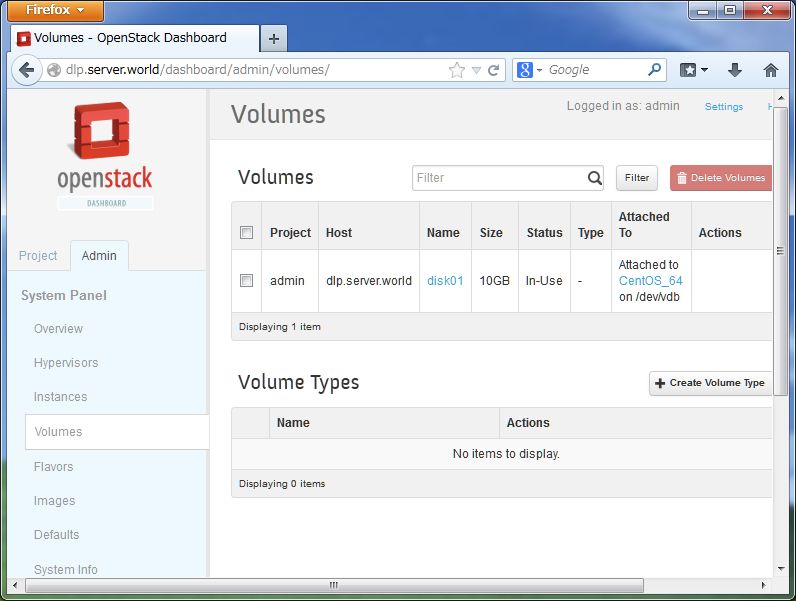
| [5] | By the way, it's possible to operate create or attach, dettach volumes on the DashBoard. |
|